Night Vision Goggles Battery Draining Quickly?
Night vision battery draining quickly? High IR levels, a bright screen, continuous recording and cold all speed it up — plus how to extend a session.
If your night vision goggles battery is draining quickly, the usual causes are a high infrared level, a bright screen, continuous video recording and cold weather — each pulls extra current from the built-in 4000mAh cell. None of these points to a fault. Use the least infrared you need, dim the display, record in shorter clips and keep the unit warm, and one charge will stretch noticeably further.
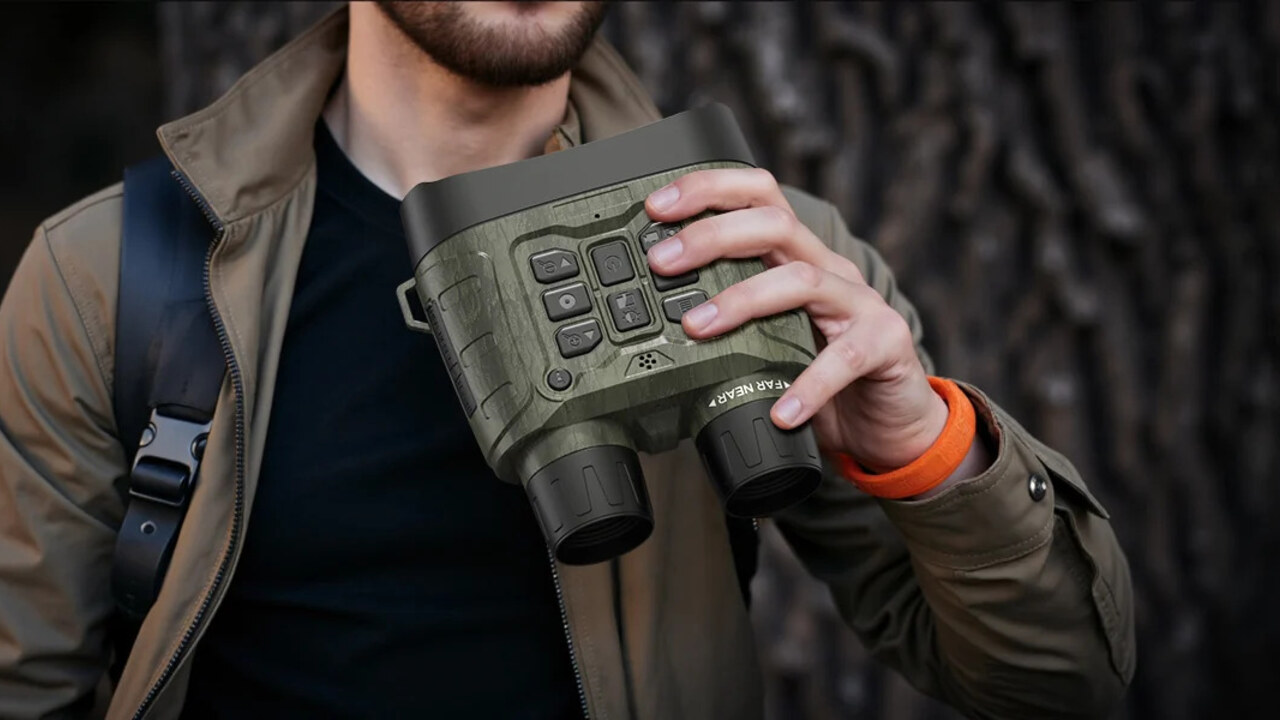
The HotPeak NV4000 camouflage binoculars run on a built-in 4000mAh rechargeable lithium battery. How long a charge lasts depends on infrared level, screen use and the outdoor temperature. The biggest drains, though, are all things you control. This page covers a battery that empties faster than expected in normal use; if the unit will not power on at all, see won’t turn on, and if it will not take a charge, see not charging.
Infrared level is the single biggest drain
The most common cause of night vision battery drain is running the infrared illuminator harder than the scene needs. HotPeak uses 850nm infrared with seven adjustment levels, and infrared battery usage climbs with every step up: the emitter must actively produce invisible light for as long as you view, so a higher level means a larger, continuous current draw. Guidance from camera makers is consistent that this active illumination is the single biggest power drain after dark, well ahead of the sensor or screen.
Use the lowest level that still gives a usable picture. Distance is the key — a close subject reflects plenty of infrared and needs far less than a target tens of metres away, so raising the level beyond what the range requires only wastes charge.
A bright screen keeps drawing power
The live image shows on a 3.0-inch 800×480 TFT screen with its own backlight, and on any backlit LCD the backlight is one of the largest, steadiest power draws in the whole device. A screen set brighter than you need quietly eats into the battery all session, and it also spoils your night vision so the scene looks worse, not better.
Turn the brightness down to a comfortable minimum. Remember that a 4K video setting does not mean a 4K screen — the panel stays 800×480 whatever the mode — so a bright display is about comfort and power, not detail. If the picture looks dim or soft rather than the battery being low, that is a focus or infrared matter covered in our blurry image checks.
Continuous recording works the battery hardest
Recording video is the heaviest task you can ask of the goggles. A long clip keeps the infrared, the sensor, the processor and the memory card all working at once, and higher resolutions write larger files that keep the hardware busy for longer. Trail-camera testing shows a night video can use several times the power of a single still for exactly this reason.
To make a charge last, capture shorter clips and take stills where a photo will do. Line the shot up first, then record, rather than leaving the device rolling between sightings. Preview-only viewing, without recording, is gentler on the battery again.
Cold weather cuts what the battery can deliver
Cold is a major, and often surprising, cause of fast drain. Lithium cells rely on chemical reactions that slow as the temperature falls, raising internal resistance and cutting the capacity the battery can actually deliver. Battery University notes that a cell giving 100% capacity near 27°C can fall to roughly half that near -18°C — a loss that is mostly temporary and recovers once the battery warms. Camera makers such as Google Nest and Arlo report the same for outdoor devices: batteries drain faster and read low in the cold.
Keep the goggles close to your body between uses, let them reach room temperature before a long session, and never charge a cell that is below freezing, which can cause lasting damage. Our guide to using night vision in cold weather covers this in full.
How to extend a single session
Bring the drains down together: set infrared as low as is useful, dim the screen, record short clips, and keep the unit warm. To learn what actually helps your own kit, run a controlled comparison — view the same scene for a fixed few minutes at a low and then a high infrared level, and again with and without recording, noting how far the gauge moves each time. That quickly shows where your charge is going.
Per-level, per-mode runtime tables do not exist from us, so no hours are quoted at any temperature. The drivers are directional and certain — higher infrared levels, a brighter screen, higher recording modes and cold all shorten runtime — and the controlled self-comparison above shows where your own charge goes.
When fast drain is really another problem
A battery that empties in minutes, swells, gets very hot or refuses to charge is no longer a simple usage question. Stop, keep the unit somewhere safe, and contact HotPeak, which provides UK support and a 12-month warranty. Do not open the casing or try to replace the built-in battery yourself.
Frequently asked questions
Why is my night vision goggles battery draining quickly?
Usually a high infrared level, a bright screen, continuous recording or cold weather — often several at once. Lower each in turn and the same charge will last longer.
Does a higher infrared level use more battery?
Yes. The illuminator produces light for as long as you view, so each higher level draws more current. Use the lowest level that gives a usable image for the distance.
Why does the battery drain faster in the cold?
Low temperatures slow the battery’s chemistry and raise its internal resistance, cutting the capacity it can deliver. The loss is mostly temporary and recovers as the unit warms; do not charge it while below freezing.
How long should the battery last on one charge?
HotPeak publishes no verified runtime, and it varies with infrared level, recording and temperature. Plan for shorter sessions, carry a way to recharge, and judge your own kit with a controlled comparison.